Posts

Showing posts with the label Relay

Sentinet – Service Virtualization Part 7 - BizTalk Server

Image
In the previous blog post I demonstrated how I can secure my internal BizTalk services application with requirements for Federated Security based on SAML tokens. The goal was to enable my BizTalk service to be a “claims-aware” application. Just like with all other cases of virtualizing BizTalk services through Sentinet, turning the BizTalk service application into a “claim-aware” application did not require any coding or configuration changes, the existing BizTalk application remained deployed and configured as is. In this post I would like to continue where I left off in the previous post, and demonstrate how to set up yet another endpoint in the virtual service. This will be the endpoint that leverages the Microsoft Azure Service Bus so that my internal BizTalk services application can be accessible from outside of the internal network through the Azure Service Bus Relay Service. The Microsoft Azure Service Bus Relay service enables you to build hybrid applications that run i...
Visual Studio Service Bus Explorer versus Standalone Service Bus Explorer

Image
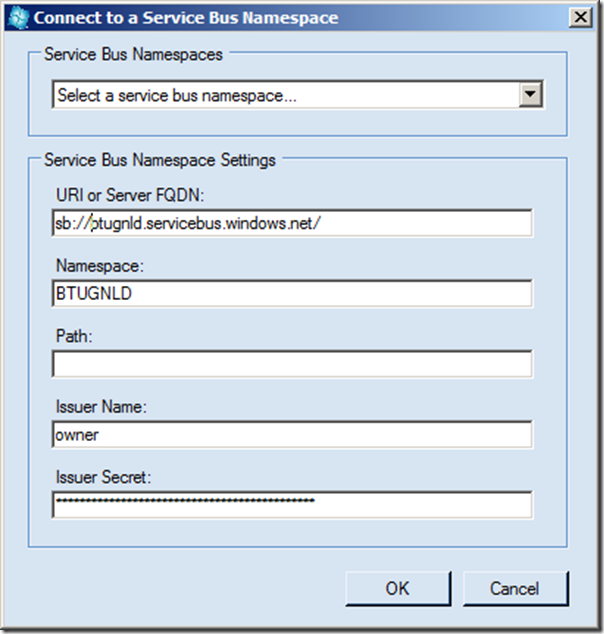
In a previous post I explored a new feature of the Windows Azure SDK 1.7. in Visual Studio, the Service Bus Explorer. I demonstrated the capabilities of this feature in Visual Studio, creating new queues, topics, subscriptions and rules. The same capabilities are present in the Service Bus Standalone tool (Windows Forms Application) built by Paolo Salvatori . INTRODUCTION The stand alone tool can be download from MSDN Code Gallery. You can then open the compressed file. Subsequently open the solution in Visual Studio 2010 or 2012 RC. Build and run it. To use the tool you need to connect to the Service Bus. In menu bar you select Menu –> Connect. In dialog that pops up you fill in the details. You click Ok an connection with the Service Bus will be made. You can now start creating and using queues, topics and subscriptions similar as with explorer in Visual Studio. However, the user experience is different as the Standalone version offers more functions when you right c...

Exploring the Service Bus Relay, Queues,Topics and Subscriptions with Visual Studio 2012 RC and Windows Azure SDK 1.7

Image
  Introduction In my post on Future BizTalk Server Release and Microsoft Integration Strategy I discussed the three pronged Microsoft integration strategy: On-premise BizTalk (a CTP of next version will be released this summer) BizTalk IaaS ( Infrastructure as a Services ), Windows Azure offers services like Virtual Machine and Virtual Network to enable to have your BizTalk infrastructure in the cloud; BizTalk PaaS ( Platform as a Services ) with EDI/EAI integration capabilities using the Service Bus. In this post I like to share my exploration of the Windows Azure Service Bus . My focus is on BizTalk professionals that do not yet have much experience/knowledge of the Windows Azure Service Bus.Two sessions by Clemens Vasters from last TechEd North America were my baseline before I started my exploration: Overview and Roadmap of Windows Azure Service Bus Achieving Enterprise Integration Patterns with Windows Azure Service Bus I will explore capabilities...