Posts

Showing posts with the label SQL Azure

BizTalk Adapter Pack 2010: Calling a View in SQL Azure

I have posted a new sample on Code Gallery: BizTalk Server 2010 Adapter Pack: Call SQL Azure View .This is one of samples I have used in my talks on BizTalk Adapter Pack 2010 Integration (A Lap Around BizTalk Adapter Pack 2010) I held in Stockholm for Swedish BizTalk User Group and in Nieuwegein for BizTalk User Group The Netherlands. Hopefully you experiment with it yourself. If you want to work with SQL Azure and want to create a database, see How to Create a SQL Azure Database wiki on TechNet. Cheers.
Query Notification SQL Azure BizTalk WCF-SQL: Possible?

Image
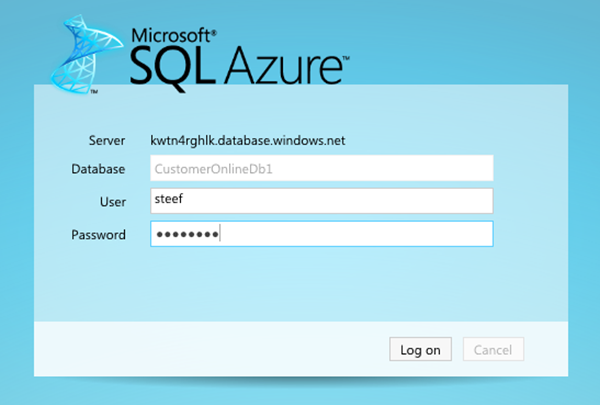
In a previous post I discussed polling a SQL Azure Table using WCF-SQL Adapter. I got one comment back from Mikael Sand with question: Does SQL Azure support notifications? Well there is one way to find out and that is give it a try to find out if it is possible. As inspiration I looked at a post by Richard Seroter Query Notification Capability in WCF SQL Adapter and see if I can try a similar scenario using SQL Azure. This time I created the database through Azure Management Portal and I then selected the created database and choose manage. You will see that a new browser tab will appear and you be prompted to fill credentials to connect. Next inside online database you can create a new table and add columns, data type e.a. Click Save after you are done. If you click table you see newly created table. Next step is to have data table. Click New Query and paste your insert data query. Click Execute. If you perform a select statement you will get following result. I have ...

Polling SQL Azure Database Table with WCF-SQL Adapter

Image
I have seen polling related questions sometimes on the BizTalk forums and I myself occasionally have come across a scenario’s where I had to use polling. In past I have read a couple of posts on polling like the one from Richard ( TypedPolling ) and Armen ( Polling ). Now with SQL Azure I wondered if it is possible to poll a SQL Azure Table. If you have an account with Windows Azure Portal than you can create 1 Gb database online. You can go for a free trail (90 days), or through MSDN account (you receive quite a lot of benefits   with Windows Azure), or commercially (see pricing ). In a previous post I showed some steps how to create a new SQL Azure database. You can create a database through Windows Azure Portal or SQL Management Studio. If you connect to SQL Azure through Management Studio you need to use SQL Server Authentication, fill in the server name, and credentials. Once connected you will in the left pane see Azure database you connect to. When you click New Quer...

WCF-SQL Adapter Stored Procedure : SQL Azure

Image
In previous post I explained how call stored procedure using WCF-SQL Adapter from BizTalk. I now want to do same thing, but instead of calling a stored-procedure in SQL Server I will call a stored procedure in SQL-Azure. If you want to do you will need a Windows Azure Account . If you do than you can sign in through Azure Management Portal and if you do not have SQL Azure database you can go database in portal and click Create a new SQL Database . You will then go through set of steps (e.g. wizard), where you will have to select subscription and server, region (my case North Europe), credentials, firewall rules (I did not apply any), database name, edition (web), and size (1 Gb). So I now have a database in the cloud and I can access it through SQL management studio 2008 R2 on my machine. That’s what I thought, but I got the message below stating I need a firewall rule. This meant I had to go back to the portal and create a firewall rule for IP address of my laptop. I dropped th...